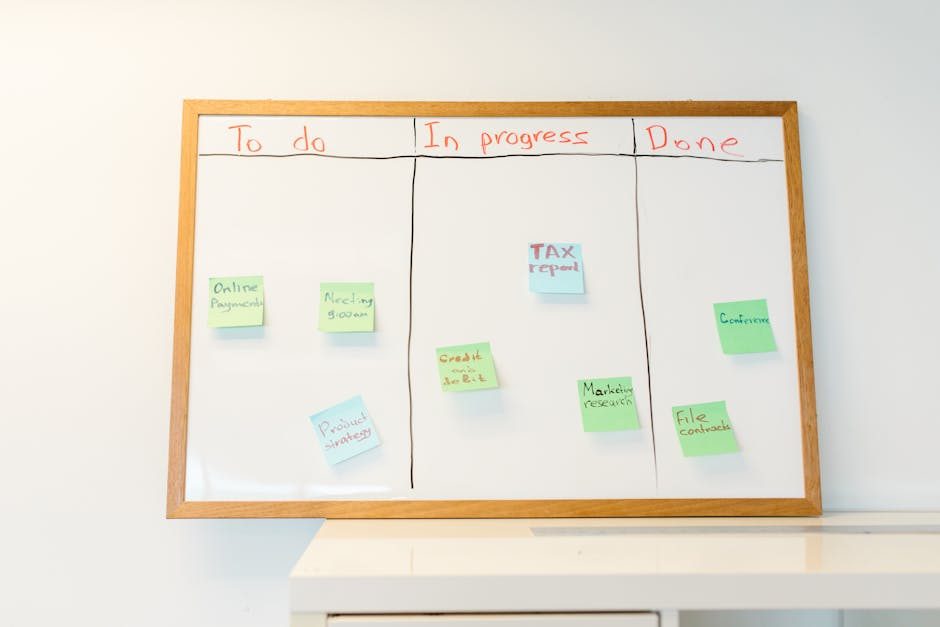
If you run a business that keeps physical products, you know the headache of inventory. Running out of stock loses sales. Over-ordering ties up cash. Misplaced items create chaos. And manually tracking what’s where takes hours every week.
This is where AI comes in. Modern inventory automation tools can track stock levels, predict what you need to reorder, alert you to problems, and even automate purchasing decisions. The result: less time managing inventory, fewer stockouts, and healthier cash flow.
Why Manual Inventory Is a Problem
Let’s be honest about what manual inventory tracking costs your business.
Time. If you’re manually counting stock, updating spreadsheets, or checking shelves, you’re probably spending several hours per week on tasks that could take minutes. For a small business, that’s 10+ hours per month on inventory alone.
Mistakes. Humans make errors. You think you have 50 units in stock, but you actually have 35. A sale comes in, you promise delivery, and then you have to explain why it’s delayed. This happens more often than you’d like.
Reactive decisions. When you track inventory manually, you usually know about problems after they happen. You’re out of stock before you realize it. You’re sitting on excess inventory for months before you notice. You can’t see patterns because you’re too busy managing the basics.
Scalability limits. Manual inventory might work fine when you have 50 products. What about 500? 5,000? At some point, the complexity overwhelms manual tracking, and you need systems that can handle growth.
What AI Inventory Management Actually Does
AI inventory tools handle several key tasks that would otherwise require constant attention.
 Photo by RDNE Stock project on Pexels
Automated Tracking
These systems track every item automatically. When something sells, stock decreases. When you receive a shipment, stock increases. Everything stays in sync without you touching anything.
Demand Forecasting
AI looks at your sales history, seasonal patterns, and trends to predict future demand. Instead of guessing how many units you’ll need next month, the system tells you.
Low Stock Alerts
You set thresholds for each product. When stock falls below your threshold, you get an alert. No more running out unexpectedly.
Reorder Automation
Some tools can automatically create purchase orders when stock gets low. You review and approve, or it happens fully automatically.
Multi-Location Tracking
If you stock products in multiple places, AI tracks everything in one system. You see exactly what’s where.
Tool 1: Sortly (The Visual Inventory Solution)
Sortly is designed for businesses that need visual inventory tracking. Instead of just numbers and SKUs, you manage with photos.
The core idea is simple: you create items in the app, add photos, assign them to locations, and track quantities. When you scan a barcode or search for an item, you see the photo, quantity, location, and history.
What makes Sortly useful is how it handles common scenarios. You can create folders and subfolders to organize by category, location, or any system that makes sense for your business. Low stock alerts notify you when items need attention. You can attach documents to items, like warranty info or supplier details.
The AI features in Sortly focus on organization and insights. It can identify similar items and suggest grouping. It learns your usage patterns and highlights unusual activity. It also offers predictive analytics for demand forecasting on higher-tier plans.
Pricing: Sortly has a free basic plan for small teams. Premium plans start at $49/month and add advanced features like analytics, alerts, and unlimited users.
Tool 2: inFlow Inventory (For Product-Based Businesses)
inFlow is built specifically for product-based businesses: wholesalers, distributors, retailers, and e-commerce sellers. It’s more comprehensive than simple tracking tools.
The system handles purchase orders, sales orders, and inventory tracking in one place. You can create POs and send them to suppliers, receive shipments and track what’s coming in, fulfill orders and deduct inventory automatically, and run reports on what’s selling and what’s sitting.
inFlow offers both cloud and on-premise options. The cloud version works well for most small businesses, while on-premise gives you more control for larger operations.
What sets inFlow apart is its reporting. You get detailed insights into inventory value, turnover rates, dead stock, and more. The AI component helps identify trends and suggests actions, like which items to reorder and when.
Pricing: Starts at $89/month for the cloud version, with a free trial available. On-premise pricing varies based on your setup.
Tool 3: QuickBooks Commerce (Connected Inventory)
QuickBooks Commerce integrates with QuickBooks accounting, which makes it attractive if you already use QuickBooks for financials. It handles inventory tracking, order management, and purchasing in one system.
The strength here is the connection between inventory and finances. When you sell something, revenue is recorded. When you buy stock, expenses are tracked. Everything ties together automatically, which saves huge amounts of time on reconciliation.
Multi-channel selling is another strength. You can connect your e-commerce store, Amazon, eBay, and other sales channels. All sales sync to one inventory system, so you never oversell.
The AI features help with demand forecasting and reorder suggestions. QuickBooks Commerce analyzes your sales data and tells you what to reorder and when. It also identifies slow-moving stock that might need discounting.
Pricing: Starts at $39/month for basic inventory management, with higher tiers at $79/month and $149/month for more features.
Tool 4: Cin7 Orderhero (Complex Inventory Needs)
Cin7 Orderhero is designed for businesses with more complex inventory requirements. If you manufacture products, sell across multiple channels, or manage a warehouse, this handles the heavy lifting.
The system tracks inventory across all locations, handles manufacturing and assembly, manages raw materials and finished goods, and connects to dozens of sales channels. It essentially becomes the central nervous system for your product business.
What makes Cin7 special is its AI-powered demand planning. The system predicts what you’ll need based on historical sales, trends, and patterns. It creates reorder suggestions, identifies seasonal fluctuations, and helps you optimize stock levels.
The automation side is robust. You can set up automatic purchase orders that trigger when stock hits certain levels. You can create workflows that handle receiving, put-away, and fulfillment automatically.
Pricing: Cin7 Orderhero pricing starts at $349/month, making it more expensive than other options. However, for businesses that need its capabilities, the automation saves significantly more than the cost.
Building Your Own System With n8n
If you want more control, you can build custom inventory automation using n8n or Make. This works well if you have specific needs that off-the-shelf tools don’t quite fit.
Here’s an example workflow you could build:
- When a sale happens in your e-commerce platform (Shopify, WooCommerce, etc.)
- n8n receives the data and updates your inventory database (Airtable, Google Sheets)
- It checks if stock is below your threshold
- If low, it creates a task in your project tool and sends you a notification
- At the end of each week, it generates a stock report and emails it to you
This approach requires more setup than using a dedicated tool, but you get exactly what you need. You control every piece of the workflow.
For implementation, you’d use n8n’s integrations with your e-commerce platform, database, and communication tools. Most e-commerce platforms have APIs that work well with automation tools.
Real-World Example: An E-Commerce Store
Let me walk through a practical setup. Say you run an e-commerce store with 200 products across three storage locations.
Your setup might be:
- QuickBooks Commerce for core inventory management (connected to your Shopify store)
- Automated low stock alerts at different thresholds for fast versus slow movers
- Purchase orders generated automatically for items that hit minimum levels
- Weekly reports showing inventory value and turnover
When a customer orders on Shopify, QuickBooks Commerce automatically reserves the inventory. You see the order, the packing slip prints, and inventory decreases. If you’re running low on something, you get an alert before you run out.
The owner spends about 30 minutes per week on inventory instead of 10+ hours. Stockouts dropped significantly. Cash flow improved because inventory turns faster.
How to Get Started
If you’re currently tracking inventory manually, here’s how to move to automation.
Week 1: Audit and choose
- Count what you actually have in stock
- List all your products with SKUs, quantities, and locations
- Research tools that match your complexity level
- Choose one and start the setup process
Week 2: Set up the system
- Add your products to the new system
- Connect your sales channels if applicable
- Set your low stock thresholds
- Configure alerts and notifications
Week 3: Test and refine
- Process a few sales and verify inventory updates correctly
- Test receiving a shipment
- Make sure alerts work
- Fix any issues
Week 4: Go live
- Switch from manual tracking to your new system
- Train any team members
- Monitor for the first few weeks and adjust thresholds
When to Upgrade
As your business grows, your inventory needs will change. Watch for signs you need a more powerful system.
- You’re adding new products frequently
- You’re selling across multiple channels
- You need multi-location tracking
- Your current tool can’t handle your volume
- You’re spending too much time on inventory tasks
The nice thing about starting with a simpler tool is you can always migrate to something more robust later. Most tools export your data, so switching isn’t as painful as it might seem.
The Bottom Line
Inventory automation isn’t about replacing humans. It’s about freeing up your time for work that actually grows your business. You stop counting boxes and start focusing on sales, customer service, and strategy.
Start with a tool that matches your current complexity. You don’t need enterprise software if you have 50 products. But don’t wait until you’re drowning in inventory to make a change. The longer you run manual inventory, the more you’re costing yourself in time, mistakes, and lost sales.